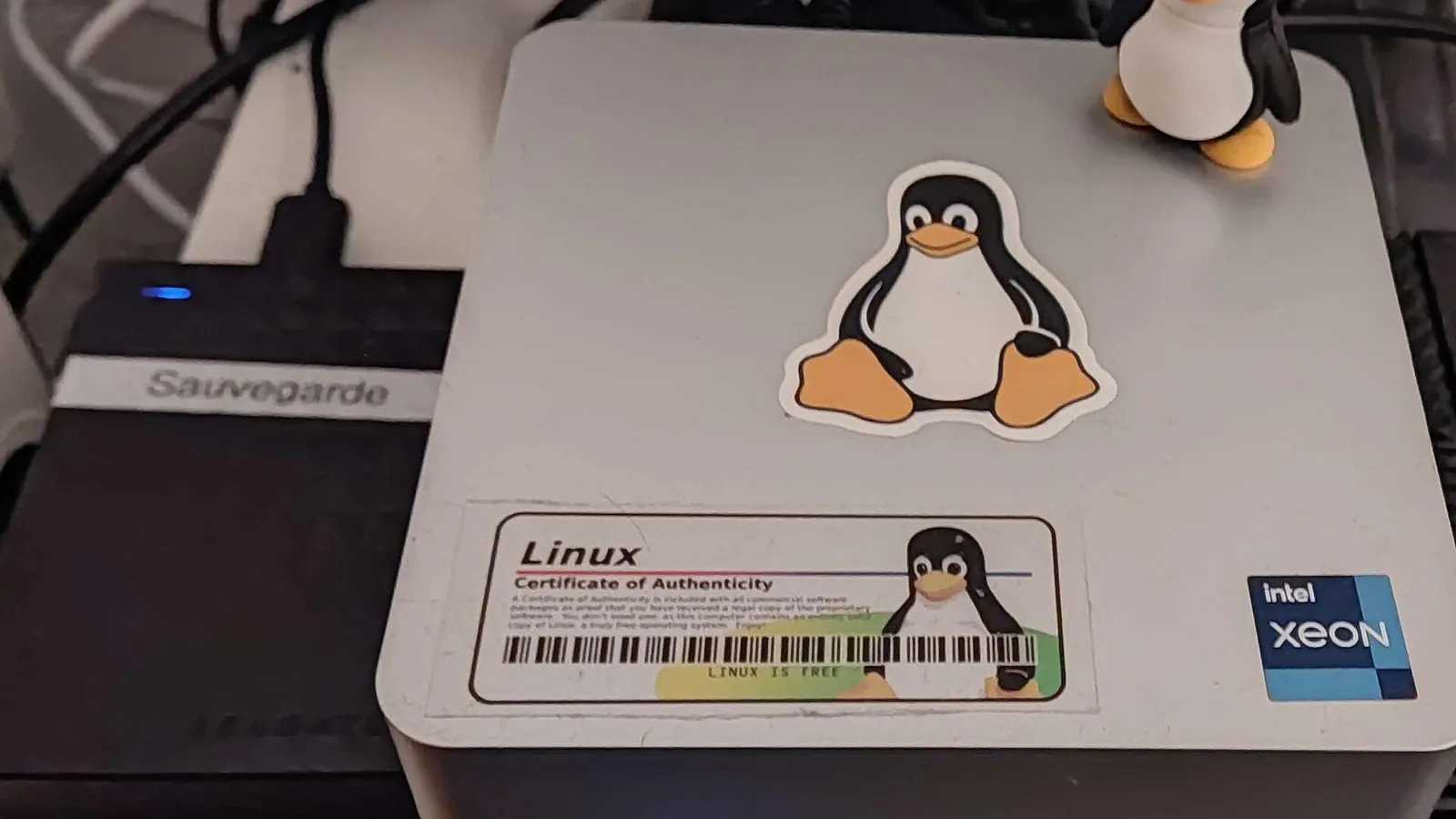
Operating a Homelab Beyond the Container Count
What operating a shared Docker homelab taught me about resource pressure, network allocation, service readiness, recovery and access boundaries.
Cloudreve worked when I accessed it locally. The Cloudflare tunnel also appeared connected, yet the public route to the application was failing. Both components could look operational while the service I wanted to use remained unavailable.
I investigated their Docker networking and placed a dedicated tunnel connector on the application's network. I then checked the internal connection and the public hostname separately, obtaining a successful response through both paths. The important change was the connection between the components. Their individual running states had never established that connection.
That incident captures the part of my homelab I find most useful. At the stage described here, the server had 16 GB of RAM and ran more than 40 containers. Those figures describe its inventory. Understanding what made a file accessible, a workload responsive or a recovery procedure trustworthy required following the relationships between them.
The deployment details in this retrospective come from my project accounts. The network fragment, counter readings and recovery sequence below are explicitly illustrative. They explain the design questions without reconstructing missing historical configurations or presenting new experiments as work I performed.
Building an environment I could keep using
My server runs OpenMediaVault on Debian Linux. Its web interface handles storage administration, while SSH gives me access to the underlying system. I use Docker for applications, Compose to describe cooperating services, and Portainer to manage containers, volumes, networks and stacks.
The workloads grew around actual uses: Cloudreve for browser-based files, Jellyfin for media, n8n for automation, and productivity and development services alongside monitoring. An application can account for several containers because its frontend, worker, database and cache have different jobs. The number of containers therefore tells me neither how many independent applications exist nor how much useful work the machine can sustain.
Linux namespaces give container processes separate views of resources such as network interfaces and process identifiers. Images provide the starting filesystem content; a container adds writable state. That makes dependencies and replacement easier to organize, while the processes retain a shared host kernel and physical machine. Docker's overview describes this model.
Choosing this arrangement let me experiment without installing every application's dependencies directly into the host. It also concentrated responsibility. A storage failure or host reboot can affect several neatly separated stacks. The application boundary I see in Portainer is not automatically a separate failure domain.
Adding a VM or another physical host could change some isolation or failure boundaries, but would also add an environment to update, observe and recover. For this lab, I would assess that change against an identified requirement rather than the appeal of a larger architecture.
Repairing one edge without flattening the network
The Cloudreve problem was useful because it separated three observations. A local response showed that the application could respond through the path I tested. A connected tunnel showed that the connector had established its Cloudflare connection. Neither observation established that this connector could reach the intended application endpoint.
In ordinary Compose bridge networking, services on a project network discover one another by name and communicate using their container ports. A published host port supplies a different access path. Container replacement may change an address and break established connections, even when the service name remains available for a fresh lookup. Clients still need to reconnect. Compose's networking guide explains these distinctions.
From a connector container, localhost normally means that connector's own network namespace. A successful request from the server host to a published application port therefore does not prove that a request from inside the connector will reach the same destination. The source context of a test matters as much as the address it uses.
The arrangement I would want to express is small enough to make visible. This is a network-membership illustration only, not my recovered configuration or a complete deployable Compose file:
services:
  connector:
    networks: [web]
  application:
    networks: [web, data]
  database:
    networks: [data]
networks:
  web: {}
  data:
    internal: true
The connector and application share web; the application and database share data. The connector and database have no direct shared bridge in this model. The internal setting makes the data network externally isolated, while the application retains its other connection. Docker's network specification defines these properties. Images, credentials, storage and health checks are deliberately outside this fragment.
This is a reachability boundary, not an authorization system. A compromised application can still use the database connection it legitimately possesses, and host-level authority remains powerful. Connecting everything to one bridge would make more peers reachable without establishing who should be allowed to use them. User-defined bridge behavior makes that distinction concrete.
Logical request flow looks like this:
 Connector and application share the web network; application and database share an internal data network. Diagram: Daniel Buttigieg
The arrows show request flow. The connector establishes the tunnel outbound; the diagram does not depict incoming connection establishment at my router. The last edge is a storage dependency requiring the intended mount, path and filesystem permissions, rather than another network hop.
My internal and public response checks established that those paths worked at the time. They did not establish every application feature or a long-term availability result. That limited but concrete outcome was enough to verify the correction I had made and to narrow the next investigation if the service failed again.
Publishing ports introduces another policy boundary. Docker creates Linux forwarding and filtering rules, so ordinary host-firewall assumptions require checking against the actual packet path. Its documentation specifically describes published-container traffic bypassing the chains used by ufw. Docker's firewall reference. This does not identify my firewall configuration; it explains why I would verify exposure rather than infer it from the presence of a firewall tool.
The same route needs an explicit authority boundary. I use WireGuard for private connectivity and Cloudflare Tunnel for selected web applications. WireGuard associates peer keys with allowed IP addresses and carries encrypted traffic over UDP; application permissions remain separate. The WireGuard design paper explains that routing model in a served 2020 draft revision of work with a version published at NDSS 2017.
A Cloudflare tunnel creates a route to the origin. Access policies add a separate identity layer when configured. A tunnel's existence alone does not establish the intended user restriction. Administrative access requires particular care: control of a conventional rootful Docker daemon can grant substantial host-filesystem authority, as Docker's security reference explains.
Address space is allocated in blocks
As I deployed more stacks, I also encountered a failure to allocate a suitable Docker network range. This was a different problem from two services requesting the same host port.
 Every bridge network Docker creates needs its own subnet block, whatever the physical network looks like. Photo: Dsimic / Wikimedia Commons, CC BY-SA 4.0
A new bridge needs a subnet block. Unused addresses in an existing subnet do not necessarily provide another allocatable block. Docker selects automatic allocations from its address pools and considers prefixes already used by the host. Its subnet-allocation reference explains why pool size and allocation prefix have separate effects.
For one available IPv4 /16, allocating a single /16 gives one network block. Dividing the same space into /24 blocks gives:
subnet blocks = 2^(24 - 16) = 256
address positions per /24 = 2^(32 - 24) = 256
The total space has not increased. Each subnet is smaller, and usable container addresses are fewer after reservations. This changes allocation granularity rather than total address space. A usable plan must also avoid LAN and VPN route overlap and leave enough addresses for each stack.
Measuring whether work can make progress
A correct file-service route can still deliver a slow operation when shared resources are contended. An idle interface and a busy video workload can occupy separate containers while imposing very different demands. Databases, background jobs and development activity may become busy together on the same physical host.
Docker does not impose per-container CPU and memory caps by default. Configured limits can bound a workload, but do not manufacture physical capacity for its neighbors. Resource controls matter because the workloads share the host's available resources and scheduler.
Linux cgroup v2 illustrates the consequences. Crossing memory.high applies reclaim pressure and throttling; hitting memory.max can invoke an out-of-memory kill within the group if usage cannot be reduced. The high boundary itself does not invoke that kill. A process can therefore remain alive while losing progress to reclaim work. These are the documented Linux 6.12 interfaces; the historical cgroup mode of my server is not established here.
I use Beszel and dashboards for visibility. Interpreting a figure still requires understanding its accounting: the Docker CLI subtracts a cache component from displayed Linux memory use, whereas the API exposes usage and cache fields separately. Docker's stats reference explains why two displays need not present identical numbers.
Pressure Stall Information asks a different question: how much time was lost waiting for resources? For memory pressure, some tracks time with at least some tasks stalled; full tracks time when all non-idle tasks in that scope are stalled together. The cumulative total fields use microseconds. The PSI interface supports an interval calculation rather than a guess from a memory-occupancy percentage.
Consider these synthetic host-wide readings from /proc/pressure/memory, taken two seconds apart. For a particular workload, the cgroup v2 memory.pressure interface supplies a narrower scope:
| Counter | First reading, microseconds | Second reading, microseconds | Difference |
|---|---|---|---|
some total | 1,000,000 | 1,100,000 | 100,000 |
full total | 200,000 | 240,000 | 40,000 |
The interval is 2,000,000 microseconds. The corresponding stall-state shares are 5% and 2%. Full-stall time is included in some-stall time, so adding them to obtain 7% would double-count part of the observation. These values describe elapsed time in pressure states, not the percentage of RAM used or a measured reduction in throughput.
High memory occupancy with little pressure would lead me to a different next question from rising pressure accompanied by application latency. Even the latter is not sufficient attribution: I would need to identify the affected workload, align observations over the same interval, inspect competing CPU and I/O constraints, and change one suspected source of contention in a controlled comparison. Reclaimable cache and an actively constrained working set do not call for the same response.
This is the useful connection to Brendan Gregg's USE Method: inspect utilization, saturation and errors rather than select whichever chart looks dramatic. Without workload-aligned measurements, I cannot turn the fact that this host ran many containers into a capacity benchmark.
Health checks need a defined promise
The tunnel incident also changed how I interpret health indicators. A process state, a dependency connection and a useful operation establish different things.
Compose can order startup and wait for a dependency marked service_healthy to pass its configured check. Ordinary dependency ordering alone waits for a running container, not necessarily a ready database. This is a startup gate, not a continuing repair protocol. Compose's startup documentation.
PostgreSQL's pg_isready is a particularly useful example. It can report connection acceptance without correct application credentials, so success does not prove that the application can authenticate or use the expected schema. Its PostgreSQL 18 reference defines that narrow promise.
A meaningful file-service check would exercise an authorized retrieval through the intended route and validate its result. A fixed HTTP success response could miss a broken database or inaccessible storage. Julia Evans's Monitoring tiny web services demonstrates this progression from a response check to an actual API operation. Such checks should use controlled data and avoid unwanted mutations. Passing one does not certify unrelated features.
A database backup can be valid while the application restore is wrong
A Docker volume survives the removal of a container, which is useful when replacing an application. It can still depend on the same disk and administrative authority. Volume persistence provides no automatic independent historical copy.
The harder question for my file platform is whether the restored pieces agree. Cloudreve's current v4 documentation explicitly distinguishes database records for files, blobs and metadata from physical content in storage providers. Its documented model helps explain this boundary without identifying the release I originally installed.
Take an illustrative application where every committed file record must refer to retrievable content. Suppose its live upload protocol works correctly:
| Step | Event | Relevant state |
|---|---|---|
| 1 | Capture the file-store backup before an upload | Backup contains F0 |
| 2 | Upload completes and its metadata commits | Live system now has matching D1 and F1 |
| 3 | Take an internally consistent database snapshot | Database backup contains D1 |
| 4 | Restore the two backups together | Restored combination is D1 with F0 |
The database can restore perfectly and still refer to content absent from F0. Nothing in this example requires the live upload operation to have been broken. The mismatch comes from capturing related stores at different logical times. It is an application-level failure despite individually readable backup artifacts.
PostgreSQL's pg_dump supplies an internally consistent snapshot of a single database, not an atomic snapshot of arbitrary external files. It also omits cluster-wide roles and tablespace definitions. SQL-dump scope therefore matters when planning the complete restore.
Crash recovery is a related but distinct problem. Filesystem updates reaching durable storage need not inherit every application-level ordering assumption. Pillai and colleagues' OSDI study of crash-consistent applications traces application filesystem operations, constructs candidate persisted states under a model, and runs an application-supplied invariant checker on them. A readable filesystem alone is not the checker. Its workload-dependent, incomplete exploration does not establish defects in my current software. The transferable method is to specify the invariant and test reconstructed states against it, as the missing-content example does.
One conditional backup design is to quiesce every path that can modify the coupled state, including background imports and deletions, and drain in-flight operations before capture. With the relevant state stable, database and content copies can be taken using valid procedures. This buys a simpler consistency argument at the cost of a write outage. A long sequential copy can extend that outage; coordinated snapshot techniques may shorten the capture interval when the complete storage system supports them.
Quiescence is not permission to copy an active database directory arbitrarily. PostgreSQL documents valid filesystem snapshots, WAL requirements and simultaneous-snapshot conditions when state spans filesystems. Physical-backup requirements still apply. A logical dump and a valid physical backup are alternatives with different restore constraints, not interchangeable directory archives.
Configuration is part of that argument too. Cloudreve separates operational configuration in a file from application configuration in its database. The configuration reference explains why restoring database content alone is not a complete environment reconstruction. Required keys, storage policies, external providers and persistent worker state must be identified without publishing secrets. A cache can only be discarded safely when the application's actual semantics permit it.
The service contract I would use next
My original notes already identify documentation, network planning and recovery procedures as things I would establish earlier. The Cloudreve repair suggests what that documentation should make possible: follow a useful operation through its dependencies, then verify it at the boundary the user depends on.
For example, this proposed service contract gives the file platform a concrete acceptance condition:
| Concern | Proposed record or check |
|---|---|
| Useful operation | An authorized account retrieves a known file whose bytes match an independently recorded, trusted digest or exact-content reference |
| Required path | Browser entry, connector-to-application route, application metadata and physical content |
| Authority | An unrelated unauthorized account is denied; management access is considered separately |
| Recoverable state | Compatible application/configuration, database/global prerequisites, content and required protected keys |
| Recovery freshness | Record the capture boundary and latest acknowledged test operation represented; restore a recent fixture and compare the recovered point with the chosen data-loss allowance |
| Copy survival | Record backup destination, retained recovery points, and the host-loss or deletion authority from which copies are independent |
| Restore acceptance | Recreate separately, verify content and denial, record recovery start/end and compare elapsed time with the chosen downtime allowance |
These proposed checks would establish the restored operation, permissions, freshness and elapsed recovery time. I have not presented them as completed results.
The dedicated connector was a small intervention with a specific, observable outcome. I want the next improvements to have that same shape: a stated requirement, a reasoned change and a test that establishes the result. Recovering a useful file operation from recorded state would demonstrate more about how I operate this system than another increase in its container count.
Image credits
- Cover: Home Server Debian by PauleMiranda, CC BY-SA 4.0, via Wikimedia Commons
- 19-inch rackmount Ethernet switches and patch panels by Dsimic, CC BY-SA 4.0, via Wikimedia Commons
- Diagrams by Daniel Buttigieg.

